

Over the past two years, Oracle has invested heavily in AI functionality that sits directly within your existing NetSuite license. Unlike bolt-on AI, which we covered through several use cases in a previous blog, no extra tool, integration, or custom development is needed to get started. The NetSuite AI features work directly with the data already in your NetSuite environment.
But which AI features exist in NetSuite exactly, what do they actually do, and when do they really make a difference? In this blog you will discover several possibilities that are already available today.
NetSuite AI Features
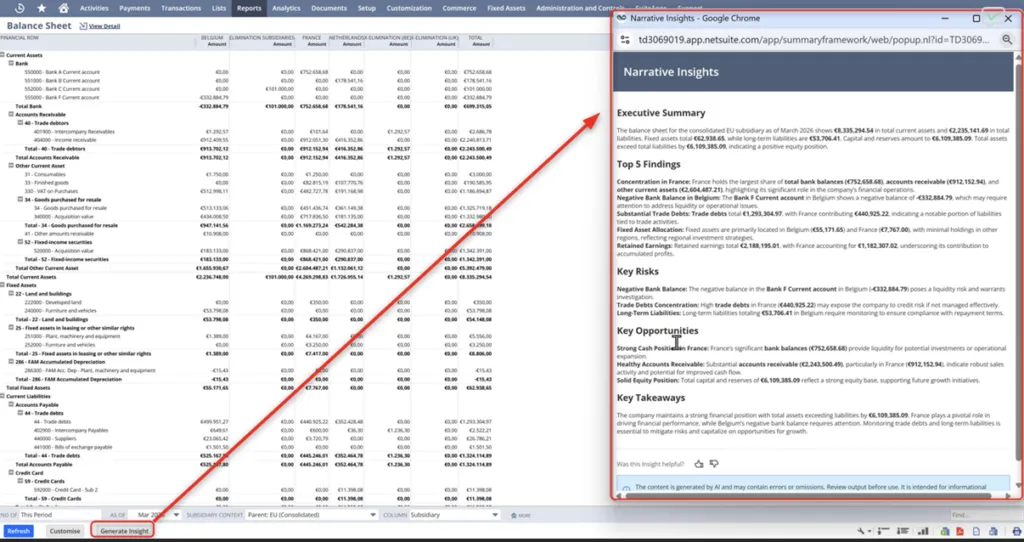
Narrative Insights
Narrative Insights automatically generates a textual summary based on your data, describing the key trends, anomalies, and movements in plain language. This works on reports such as your P&L, balance sheet, and cash flow, but also on records such as sales orders, journal entries, and inventory overviews.
In practice: a financial analyst is closing the month and wants to write a commentary on the P&L for the management report. Instead of interpreting the figures himself, he clicks the Narrative Insights button on the report. NetSuite generates a summary such as: net revenue declined by 8% compared to the previous month, driven mainly by a decline in product line X and delayed collections from customers in region Y. This is a starting point rather than a finished product, but it still saves considerable time and interpretation work per report.
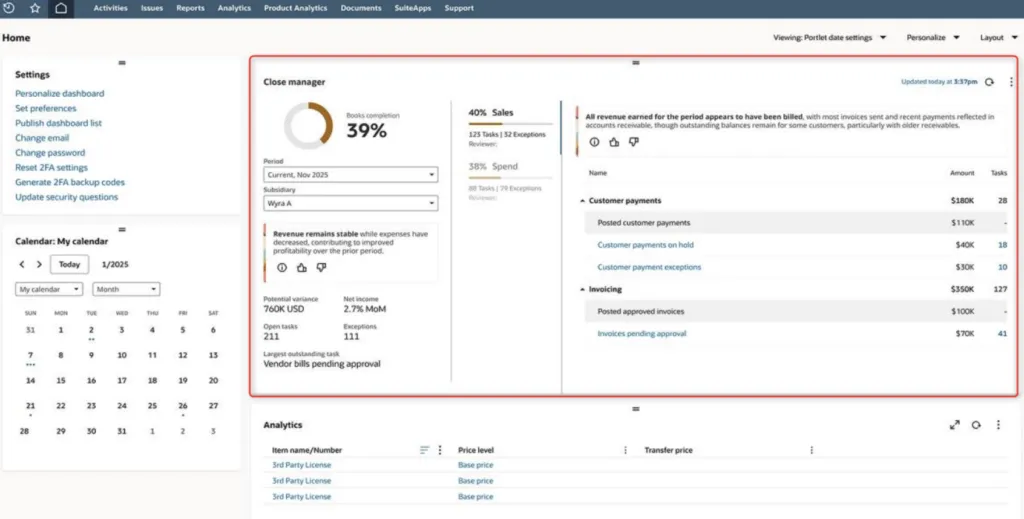
Intelligent Close Manager
The Intelligent Close Manager is a dashboard portlet that monitors the status of your month end close across all entities. It combines outstanding tasks, transaction amounts, KPIs, and anomalies for A/R, A/P, and accounting into one central overview, based on expected versus realized transaction activity.
In practice: suppose you have five entities and want to know where you stand on day three of the close. Instead of manually checking each entity, the Intelligent Close Manager shows you in one screen which entities are falling behind, where there are outstanding intercompany transactions, and which tasks still need attention. Less “where do we stand” and more “this needs to be resolved today.”
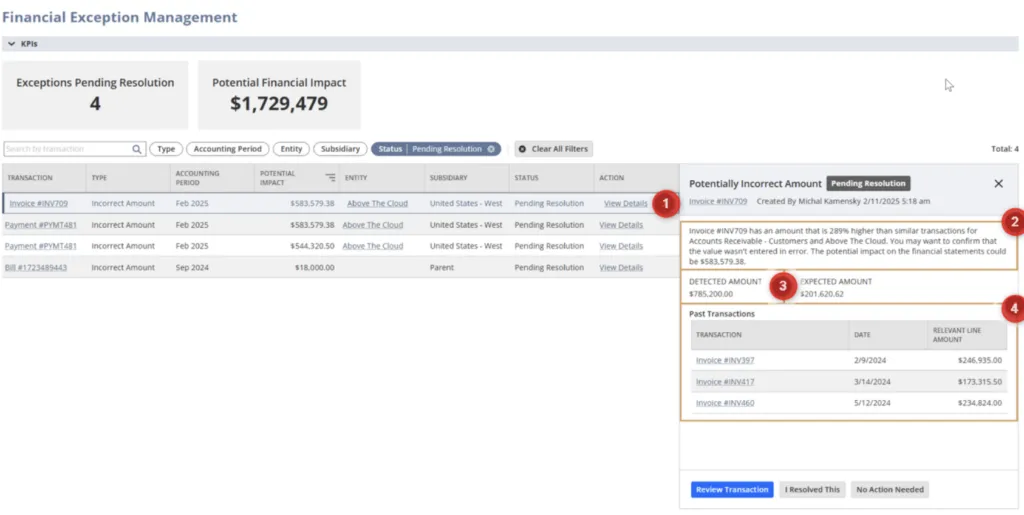
(Financial) Exception Management
Exception Management analyzes your historical transactions to recognize recurring patterns and predict which transactions you can expect in an upcoming period. If something deviates from that pattern, the feature automatically flags it. Think of incorrect amounts, wrong accounts, missing entries, or recurring transactions such as amortizations that get skipped in a period. As of the 2026.1 release, fraud detection has been added, which flags system changes to critical vendor data that occur right before a payment run, such as a bank account number.
In practice: a vendor whose bank account number is suddenly changed two days before a large payment gets automatically flagged for human review. Without this feature, that payment would simply be processed. It is exactly the kind of risk that easily slips through a manual process, but that your data can in fact signal when you apply AI to it, allowing the risk to be mitigated in time.
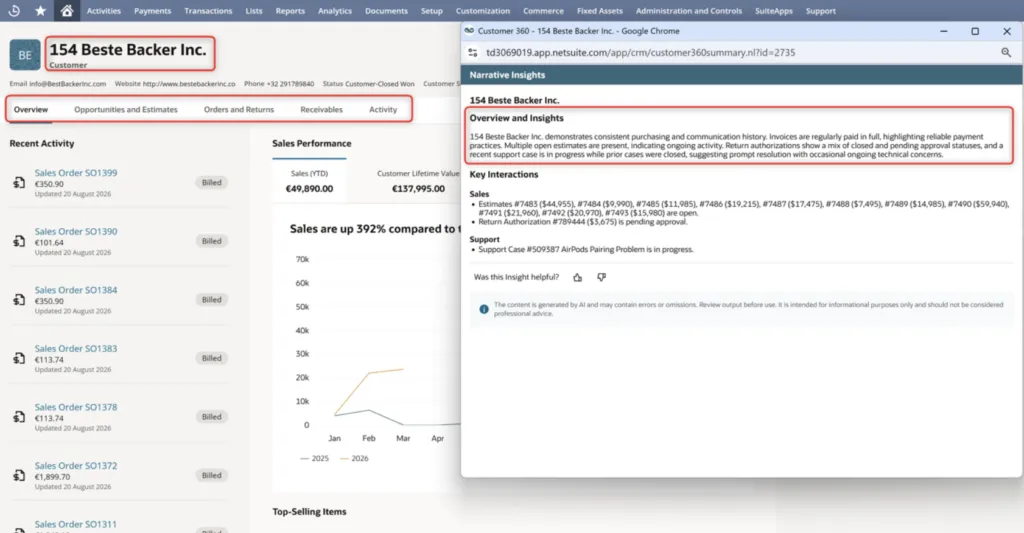
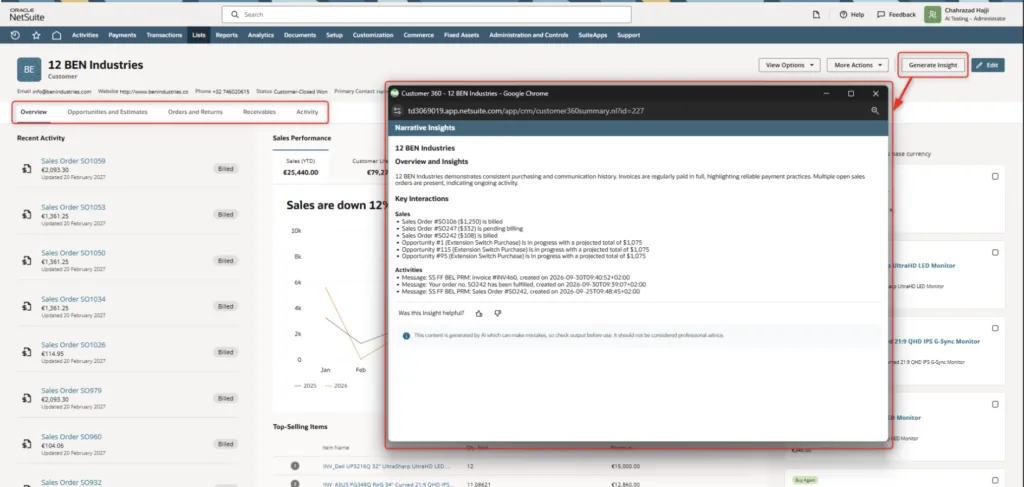
Customer 360 Insights
Customer 360 generates an AI summary per customer record that combines open orders, payment history, recent interactions, and outstanding receivables into a single view. Anyone working with the customer has the full context at hand without having to consult multiple screens.
In practice: an account manager has a customer call in ten minutes. He opens the customer record and sees within thirty seconds that there is an outstanding invoice that is 45 days old, that the last order was delivered late, and that the customer contacted support last week. That context was always available in NetSuite but scattered across five different screens. Instead of searching through those screens one by one, he now has everything at hand immediately and walks into the call well prepared.
NetSuite Next: the next step is already underway
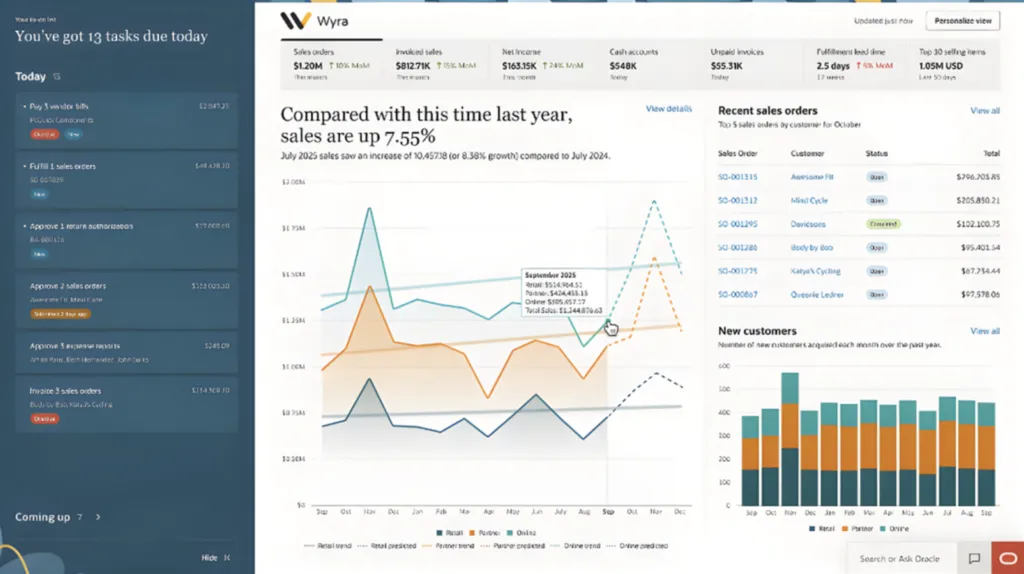
But the best is yet to come. NetSuite Next is the most far-reaching update in years, featuring a modern interface, an assistant that lets you query your data through chat, and a scenario planning environment (AI Canvas) connected to your live ERP data. In AI Canvas you can ask impact questions, for example what the effect would be if a customer purchases less than usual and receive a prediction in response. Oracle is rolling this out in phases throughout 2026
What can you do today?
The features you have discovered in this blog are already in your system. They work with the data you already have on the platform you already use. That means the barrier to getting started is a lot lower than you might think.
Native AI gives you a strong foundation. Every company also has its own processes and growth ambitions, and that is exactly where going one step beyond what comes standard often makes the difference. Our AI consultants are happy to stop by, free of obligation, to look together at where the biggest frustrations lie, how to make optimal use of the Native AI features in your processes, and what additional solutions might be possible. Start today with the NetSuite AI possibilities and keep building on AI in your NetSuite step by step.